


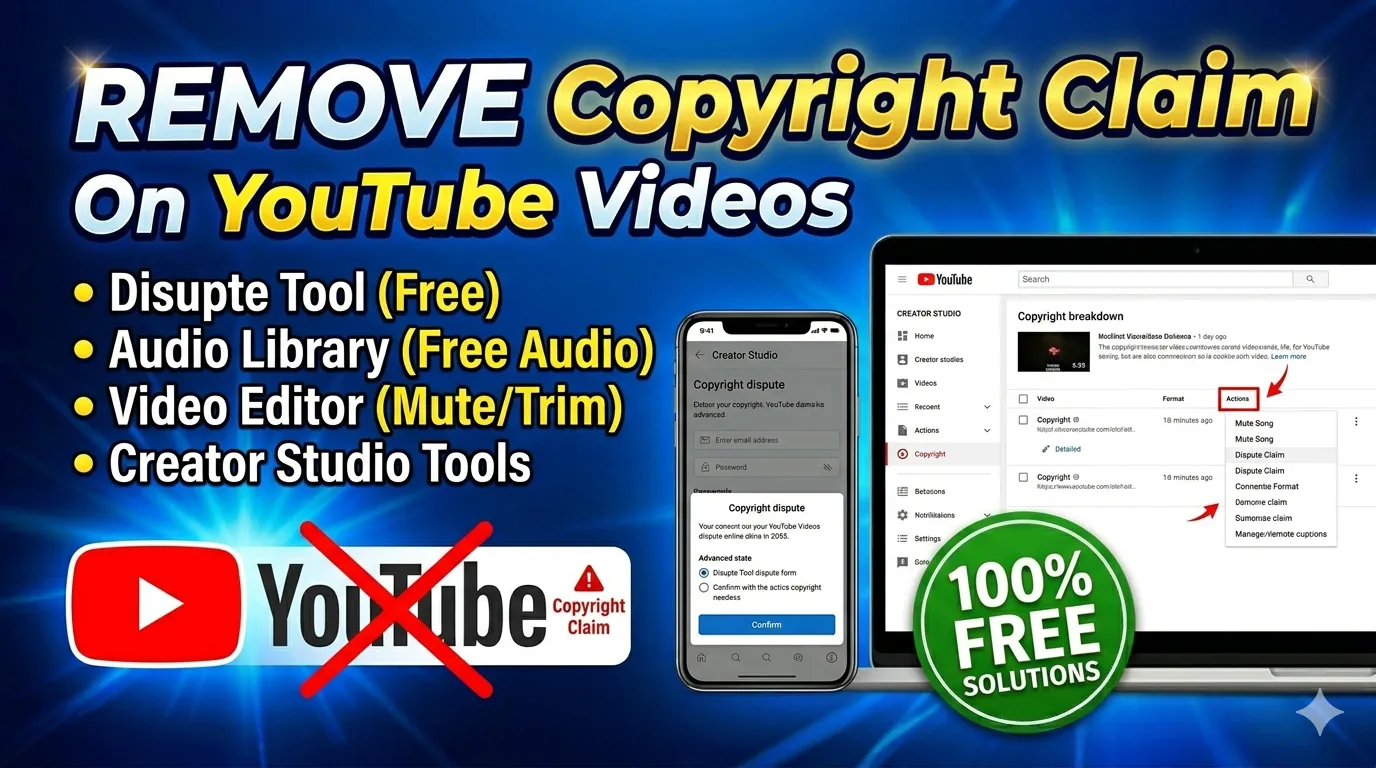
How to Remove Copyright Claim From YouTube Video
YouTube creators often face copyright claims when uploading videos that contain copyrighted music, movie clips, sound effects, or reused content. A YouTube copyright claim can affect monetization, audience reach, and channel performance if not handled properly. Many creators search for safe and legal methods to remove copyright claim issues without risking their channels.
Understanding the difference between a copyright claim and a copyright strike is very important for content creators. Using free tools, editing methods, and copyright-free resources can help resolve these issues legally. This guide explains how video copyright remove tools work and how creators can protect their content, monetization, and channel growth in 2026.
What Is a YouTube Copyright Claim?
A YouTube copyright claim happens when the platform detects copyrighted content inside a video using its Content ID system. This automated system scans uploaded videos and compares them with copyrighted media owned by music labels, movie studios, and content creators. If a match is detected, YouTube may place a copyright claim on the video.
A YouTube copyright claim does not always mean the channel will receive a strike or penalty immediately. In many cases, the copyright owner may monetize the video instead of removing it completely. Understanding how Content ID works helps creators use legal editing methods and free tools to fix copyright issues safely and effectively.
How YouTube Content ID Works
YouTube Content ID is an automated detection system designed to identify copyrighted material inside uploaded videos. Copyright owners upload their original media into YouTube’s database, allowing the platform to compare new uploads against protected content automatically.
If the system detects matching audio or video, it may place a copyright claim on the uploaded content. The copyright owner can then choose to block, track, or monetize the video. This process helps protect intellectual property rights while allowing creators to resolve issues through editing or disputes.
Types of Copyright Claims
There are different types of copyright claims depending on how the copyrighted material is used inside a video. Some claims only affect monetization, while others may block videos in certain countries or completely remove public access to the content.
Audio claims are the most common and usually involve copyrighted music or sound effects. Video claims may happen when creators use movie clips, TV scenes, or reused footage without permission. Understanding claim types helps creators choose the correct copyright fix method.
Table of Contents
Impact on Monetization
A copyright claim can affect a creator’s ability to earn money from their YouTube content. In many situations, advertising revenue from the claimed video goes directly to the copyright owner instead of the channel creator.
Monetization restrictions may also reduce the visibility and reach of videos on YouTube. Creators who rely on YouTube income should always check uploaded content carefully before publishing. Using copyright-free music and editing tools can help protect revenue and maintain monetization eligibility.
Why Videos Get Claimed
Videos usually get claimed because they contain copyrighted audio, video clips, background music, or unlicensed footage. Even a few seconds of copyrighted content may trigger YouTube’s Content ID system automatically.
Many creators accidentally receive claims because of background music in public places, reused memes, or trending songs. Downloading random clips online without checking licenses is another common cause. Understanding these risks helps creators avoid future copyright problems.
Difference Between Copyright Claim and Copyright Strike
A copyright claim and a copyright strike are two different issues on YouTube, although many creators confuse them. A claim is usually an automated Content ID notification related to copyrighted material inside a video. A strike, however, is a formal legal complaint submitted directly by the copyright owner.
Understanding the difference is important because copyright strikes are much more serious and can harm channel performance. Claims mainly affect monetization and visibility, while strikes can lead to channel restrictions or termination. Creators should always respond carefully and legally when dealing with either issue.
Copyright Claim Explanation
A copyright claim is usually generated automatically through YouTube’s Content ID system when copyrighted material is detected. Most claims are related to music, sound effects, movie clips, or reused footage inside uploaded videos.
Claims generally do not remove the channel or issue penalties immediately. Instead, the copyright owner may monetize or track the video. Creators can resolve claims legally by editing content, replacing audio, or filing valid disputes if necessary.
Copyright Strike Risks
A copyright strike is more serious because it is a formal takedown request submitted by the copyright owner. Strikes may result in video removal, channel restrictions, or temporary suspension of uploading and live streaming features.
Receiving multiple strikes can put the entire YouTube channel at risk of termination. Creators should avoid ignoring strikes and respond carefully using legal methods only. Understanding copyright rules helps reduce the chances of serious penalties.
Monetization Effects
Copyright claims often redirect advertising revenue from creators to copyright owners. This can reduce earnings from videos that would otherwise generate monetization income through views and advertisements.
Repeated copyright issues may also affect a channel’s reputation and advertiser trust. Creators who want stable monetization should use copyright-free music, original content, and licensed media whenever possible. Safe editing practices help protect long-term earnings.
Channel Penalties
Claims generally do not lead to immediate channel penalties, but repeated copyright issues may impact visibility and audience growth over time. Copyright strikes, however, can limit channel features and create serious account restrictions.
Channels with multiple strikes risk suspension or permanent removal from YouTube. Maintaining compliance with copyright policies is essential for creators who depend on YouTube for income and content distribution. Responsible content creation helps avoid long-term problems.
Common Reasons for Copyright Claims
Many YouTube creators receive copyright claims because they unknowingly use protected media inside their videos. Copyrighted music, movie scenes, stock footage, and even background audio can trigger YouTube’s Content ID system automatically. Understanding these common mistakes helps creators avoid future copyright problems.
Using free tools and copyright-free resources can significantly reduce the chances of receiving claims. Creators should always review licenses, permissions, and fair use rules before uploading videos online. Safe editing practices help protect monetization, channel growth, and audience trust.
Using Copyrighted Music
Copyrighted music is one of the biggest reasons creators receive YouTube copyright claims. Even short sections of popular songs may trigger Content ID detection instantly during the upload process.
Many creators mistakenly believe giving credit is enough to avoid claims, but permission or licensing is usually required. Using royalty-free music libraries and YouTube Audio Library tracks is a safer alternative for creators.
Movie Clips and TV Content
Using movie scenes, TV footage, or streaming content without permission can lead to copyright claims or even strikes. Entertainment companies actively protect their media through YouTube’s automated detection systems.
Even reaction videos and commentary channels must follow fair use guidelines carefully. Editing, transforming, and adding original commentary may help under fair use, but there is no automatic guarantee of protection.
Background Audio Issues
Creators sometimes receive claims because copyrighted music plays unintentionally in the background during recordings. Public places, cafes, events, and gaming streams often contain licensed music that triggers Content ID systems.
Background audio issues are common for vloggers and live stream creators. Using audio remover tools or muting sections in YouTube Studio can help solve these problems effectively.
Reused Videos
Uploading reused videos from social media platforms or other YouTube channels can create copyright issues quickly. Even edited compilations may still trigger claims if the original footage is protected.
Creators should focus on producing original content instead of downloading random clips online. Original videos help avoid copyright problems and improve long-term channel credibility.
Unlicensed Stock Footage
Some creators use stock footage without checking whether the license allows commercial or YouTube usage. Unlicensed footage can lead to copyright claims or monetization restrictions later.
Using trusted copyright-free video libraries and verifying licenses carefully is important. Keeping proof of licenses can also help creators resolve disputes more effectively if problems occur.
Best Free Tools for Video Copyright Remove
Many creators use free tools to edit videos, remove copyrighted music, and replace problematic content before uploading. Modern copyright remover tools help creators fix audio issues, trim video sections, and improve content safely without expensive software.
Using legal editing methods is the safest way to handle YouTube copyright claims. Browser-based editing platforms, AI audio remover tools, and copyright-free music libraries provide creators with simple solutions for protecting monetization and avoiding strikes.
Audio Editing Tools
Audio editing tools allow creators to mute, replace, or remove copyrighted sound from videos quickly. These tools are useful when background music or licensed audio triggers a copyright claim automatically.
Modern online editors support noise reduction, audio extraction, and soundtrack replacement features. Free tools max recommendations can help creators find simple editing solutions for safer uploads.
Copyright-Free Music Libraries
Copyright-free music libraries provide safe audio tracks that creators can use legally inside YouTube videos. These platforms offer royalty-free music, sound effects, and background tracks without copyright risks.
Using licensed music from trusted libraries protects monetization and reduces the chances of Content ID claims. Creators should always read usage terms carefully before downloading audio assets.
Online Video Editors
Online video editors help creators trim copyrighted clips, replace soundtracks, and export edited videos directly through the browser. These tools are beginner friendly and work without downloading heavy software.
Many free editing platforms support HD exports, MP4 conversion, and quick editing features for YouTube creators. Browser-based tools are especially useful for mobile and low-storage devices.
Free Tools Max Recommendations
Free tools max platforms provide creators with access to useful copyright checker tools, video editors, audio converters, and file management solutions. These resources simplify content editing and help creators fix copyright problems safely.
Using trusted creator tools improves workflow efficiency and reduces the need for expensive premium software. Free browser-based utilities are becoming increasingly popular among beginner YouTubers.
AI Noise and Audio Remover Tools
AI-powered audio remover tools can separate background music from voice recordings automatically. These technologies help creators remove copyrighted songs while preserving speech and commentary audio.
Advanced AI editing tools improve sound quality and simplify copyright fixes for creators. This technology is especially useful for vloggers, podcasters, and gaming channels that accidentally capture copyrighted music.
How to Remove Copyright Claim From YouTube Video
Creators can remove copyright claims legally by editing claimed content, replacing audio, trimming copyrighted sections, or filing valid disputes. YouTube Studio provides built-in editing tools that help fix many Content ID claims without deleting videos entirely.
Using safe editing methods protects monetization and avoids unnecessary copyright risks. Creators should never attempt illegal bypass methods or unauthorized claim removal services. Legal editing and copyright-free resources remain the best long-term solutions for creators.
Method 1: Remove Copyrighted Music
One of the fastest ways to fix a YouTube copyright claim is by removing the copyrighted audio from the video. YouTube Studio includes tools for muting claimed sections or replacing songs directly inside the editor.
Creators can also add royalty-free music from YouTube Audio Library after removing problematic soundtracks. This method often resolves music-related claims quickly and safely without affecting the rest of the video content.
Method 2: Trim the Claimed Segment
If a claim is caused by a short copyrighted clip, trimming the claimed section may solve the issue. YouTube Studio allows creators to cut problematic parts directly from uploaded videos without re-uploading everything.
Removing a few seconds of copyrighted footage can restore monetization and eliminate claim restrictions. This method works especially well for accidental movie clips or background content.
Method 3: Replace Audio
Replacing copyrighted audio with royalty-free music is another effective copyright fix method. Creators can use free tools and online editors to add legal soundtracks while keeping original visuals unchanged.
Audio replacement improves content safety and protects future monetization opportunities. Many creators use copyright-free music libraries for long-term protection against claims.
Method 4: Submit a Dispute
Creators can submit disputes if they believe the copyright claim is incorrect or falls under fair use policies. Valid disputes may apply to commentary, education, reviews, criticism, or transformative content.
Disputes should only be filed with proper evidence and honest explanations. False disputes may create legal risks or account penalties. Understanding fair use rules is important before challenging copyright claims officially.
Best Copyright-Free Music Sources
Using copyright-free music is one of the safest ways to avoid YouTube copyright claims and monetization issues. Trusted royalty-free audio libraries provide creators with legal soundtracks for videos, Shorts, podcasts, gaming content, and tutorials without copyright risks.
Creators should always verify licensing terms before using downloaded music in commercial or monetized videos. Choosing reliable copyright-free sources helps protect channels from Content ID claims, strikes, and monetization restrictions in the future.
YouTube Audio Library
YouTube Audio Library is one of the most trusted free music sources for creators. It provides royalty-free music tracks and sound effects that can be used safely inside YouTube videos.
The library includes different genres, moods, and sound styles for all types of content creators. Many tracks are completely free for commercial use and monetized channels.
Royalty-Free Music Websites
Royalty-free music websites offer licensed audio tracks for YouTube creators, businesses, and editors. These platforms often include subscription options and free downloadable tracks with commercial usage permissions.
Using licensed royalty-free music helps reduce copyright risks significantly. Creators should always save proof of licenses and download confirmations for future protection.
Creative Commons Music
Creative Commons music allows creators to use audio legally under specific licensing conditions. Some tracks require attribution, while others allow commercial usage without additional permissions.
Reading license details carefully is important before using Creative Commons music in monetized videos. Proper attribution helps creators stay compliant with copyright rules.
Free Sound Effect Libraries
Free sound effect libraries provide creators with copyright-safe effects for gaming videos, tutorials, films, and social media content. These resources include transitions, background effects, and ambient sounds.
Using licensed sound effects improves video quality while reducing copyright risks. Trusted libraries help creators maintain safe and professional content production workflows.
Final Conclusion
Removing a YouTube copyright claim safely requires understanding copyright rules, editing claimed content legally, and using trusted free tools for creators. Methods such as muting copyrighted music, trimming claimed segments, replacing audio, and submitting valid disputes can help protect monetization and avoid channel penalties.
Using copyright-free music libraries, online editing tools, and creator-friendly resources is the best long-term strategy for avoiding future copyright issues. Free tools max solutions can help creators edit videos efficiently while maintaining legal compliance. Safe content creation practices protect channels, improve monetization stability, and support long-term YouTube growth.