


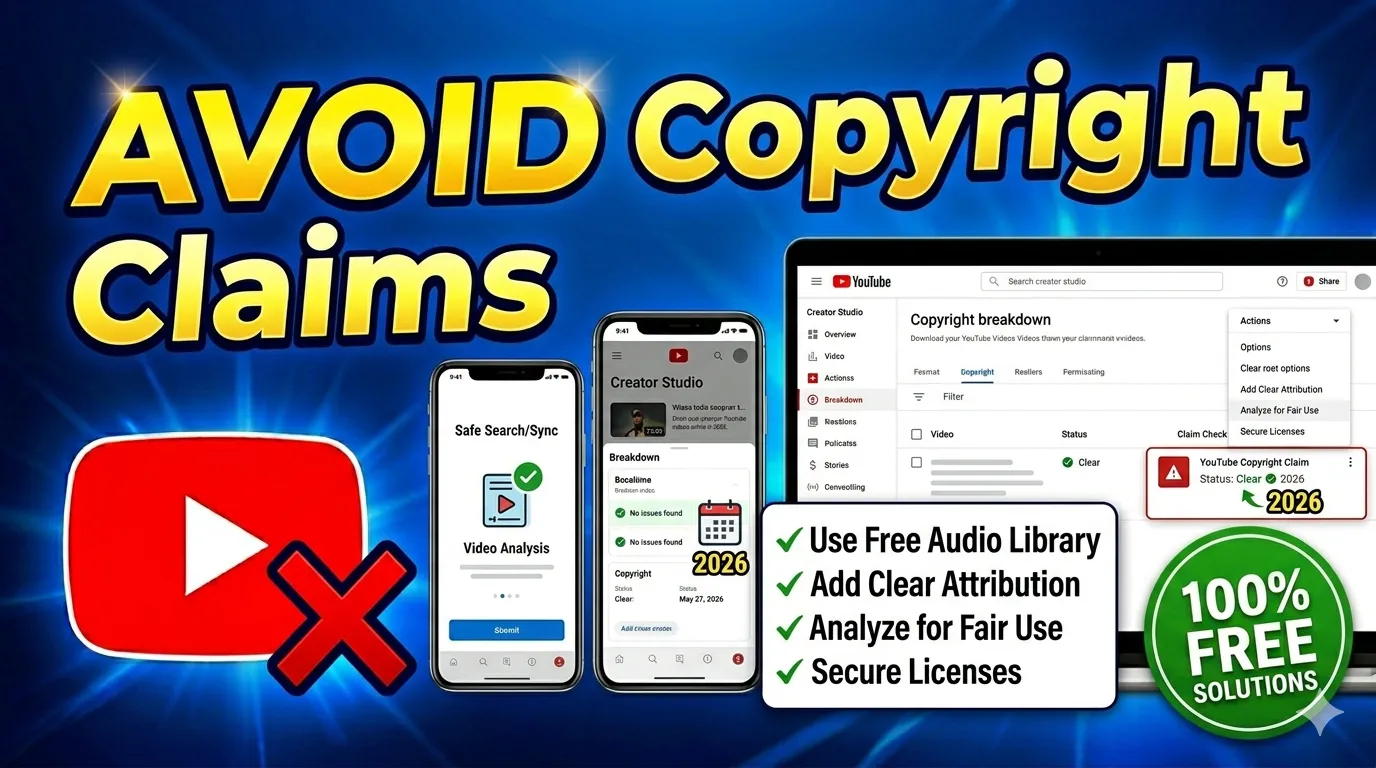
Best Ways to Avoid Copyright on YouTube
Copyright protection is one of the biggest challenges for YouTube creators in 2026. Many creators receive YouTube copyright claims because of copyrighted music, reused videos, movie clips, or background audio inside their content. These issues can reduce monetization, limit video reach, and sometimes place channels at risk of copyright strikes.
Understanding how YouTube copyright works is essential for protecting channel growth and monetization. Creators who use original content, copyright-free media, and trusted free tools can reduce copyright risks significantly. This guide explains the best creator strategies, fair use practices, and copyright-free resources that help YouTubers upload safer videos and avoid copyright problems legally.
Understanding YouTube Copyright System
YouTube uses advanced copyright detection systems to identify protected content uploaded by creators. The platform automatically scans audio and video using Content ID technology to compare uploaded content with copyrighted media stored inside its database. If matching content is detected, a copyright claim may appear on the video.
Understanding how claims and strikes work helps creators avoid serious channel problems. Copyright issues can affect monetization, audience reach, and account stability. Learning safe uploading practices and using copyright-free resources helps creators protect their content and grow safely on YouTube.
Table of Contents
What Is YouTube Copyright?
YouTube copyright refers to legal ownership rights for original music, videos, images, films, and audio content uploaded online. Copyright owners have the legal authority to control how their media is used, copied, distributed, or monetized on platforms like YouTube.
Creators who upload copyrighted content without permission may receive copyright claims or strikes. These issues can affect monetization and account safety. Understanding copyright laws helps creators produce safer and more professional content online.
How Content ID Works
Content ID is YouTube’s automated system that scans uploaded videos for copyrighted material. Music labels, film studios, and content owners upload their original media into YouTube’s database for automatic matching and detection.
If matching audio or visuals are found, the copyright owner may choose to monetize, block, or track the video. This system protects intellectual property rights while allowing creators to resolve issues legally through editing or disputes.
Difference Between Claims and Strikes
A copyright claim is usually an automated notification related to copyrighted material found inside a video. Claims often affect monetization but do not immediately harm the channel directly.
A copyright strike is more serious because it involves a formal takedown request submitted by the copyright owner. Multiple strikes may lead to channel restrictions, suspension, or permanent removal from YouTube.
Impact on Monetization
Copyright claims often redirect advertising revenue from creators to copyright owners. This can reduce earnings from videos that would otherwise generate monetization income through ads and audience engagement.
Repeated copyright issues may also affect channel reputation and long-term monetization eligibility. Using copyright-free music and original content is one of the best ways to protect revenue and maintain stable growth.
Why Creators Get Copyright Claims
Many creators receive copyright claims because they unknowingly use protected media inside their videos. Copyrighted songs, movie scenes, stock footage, and background audio are common reasons why Content ID systems flag uploaded content automatically.
Understanding these risks helps creators avoid common mistakes before publishing videos. Safe editing practices, copyright-free resources, and creator-friendly tools can reduce copyright issues significantly and improve monetization safety for YouTube channels.
Using Copyrighted Music
Using copyrighted music is one of the main reasons creators receive YouTube copyright claims. Even short audio clips or trending songs may trigger Content ID detection during the upload process.
Many creators incorrectly assume giving credit is enough to avoid claims, but legal permission or licenses are usually required. Royalty-free music libraries are much safer alternatives for monetized content.
Reuploading Videos
Reuploading videos from other creators, TikTok pages, or social media accounts often leads to copyright claims quickly. Even edited compilations may still trigger Content ID systems if the original footage is protected.
Creators should focus on original videos instead of downloading and reposting random online content. Original content improves monetization safety and builds stronger audience trust over time.
Movie and TV Clips
Using scenes from movies, TV shows, Netflix content, or streaming platforms can create copyright problems quickly. Entertainment companies actively protect their media through YouTube’s automated copyright systems.
Reaction videos and commentary channels must also follow fair use guidelines carefully. Transformative editing and commentary may help, but there is never a guaranteed protection against claims.
Background Audio Problems
Background audio is another common reason creators receive claims unexpectedly. Music playing in cafes, public places, games, or events can trigger Content ID systems automatically during uploads.
Using audio cleaning tools or muting problematic sections can help solve these issues. Creators should review recordings carefully before publishing videos online.
Unlicensed Stock Footage
Using stock footage without verifying commercial licenses can lead to copyright claims later. Some free stock videos may not allow monetized YouTube usage even if they appear publicly accessible online.
Creators should always check licensing terms before downloading media assets. Saving proof of licenses can also help resolve disputes more effectively if claims appear later.
Best Ways to Avoid Copyright on YouTube
Creators can avoid copyright claims by using original content, royalty-free media, proper licenses, and safe editing practices. Following YouTube’s copyright guidelines helps protect monetization and reduces the risk of strikes or account restrictions.
Using free tools, copyright-free resources, and smart creator strategies allows channels to grow safely in 2026. Safe content creation improves long-term channel stability and helps creators avoid unnecessary copyright disputes.
Use Copyright-Free Music
Copyright-free music is one of the safest options for YouTube creators who want monetization protection. Royalty-free music libraries provide licensed audio tracks that can be used legally inside videos and Shorts.
YouTube Audio Library and Creative Commons music collections are popular choices for creators. Using legal music sources greatly reduces the chances of Content ID claims and monetization problems.
Create Original Content
Creating original videos is one of the best ways to avoid copyright issues completely. Recording personal footage, voiceovers, tutorials, gameplay, and commentary gives creators full control over their media rights.
Original content also improves branding, audience trust, and monetization opportunities. Unique editing styles and custom visuals make channels more professional and safer legally.
Avoid Reusing Viral Clips
Reusing viral clips from TikTok, Instagram, YouTube Shorts, or memes often creates copyright risks. Even short sections of copyrighted content may trigger automated claims or monetization restrictions.
Instead of reposting viral media, creators should produce original reactions, commentary, or educational content. Transformative editing helps reduce risks but does not guarantee full protection.
Get Proper Licenses
Buying proper music or stock footage licenses is important for creators who use commercial assets regularly. Paid licenses provide legal permission for monetized usage and professional content creation.
Creators should always save receipts and proof of purchase for future copyright disputes. Licensed media improves monetization safety and protects channels from unnecessary risks.
Follow Fair Use Carefully
Fair use allows limited usage of copyrighted content for commentary, criticism, education, or transformative purposes. However, fair use is complex and does not automatically protect all creators from copyright claims.
Reaction channels, review creators, and educational content producers should add meaningful commentary and editing to strengthen fair use arguments. Understanding fair use policies helps creators reduce legal risks.
Best Free Tools for YouTube Creator
Modern free tools help creators edit videos, clean audio, compress files, and optimize content safely before uploading to YouTube. Browser-based creator tools are especially useful for beginner YouTubers who want professional results without expensive software.
Using trusted creator resources improves workflow efficiency and reduces copyright risks. Many free tools max solutions support video editing, audio removal, and file optimization directly through the browser.
Audio Editing Tools
Audio editing tools help creators remove background music, clean noise, and replace copyrighted soundtracks quickly. These tools are useful for fixing accidental copyright issues before publishing videos online.
Modern browser-based editors support trimming, muting, and AI audio cleaning features. Safe audio editing improves monetization protection and content quality.
Video Trimming Tools
Video trimming tools allow creators to remove copyrighted sections from uploaded or recorded videos. Cutting problematic clips can help prevent claims and improve compliance with YouTube copyright policies.
Simple browser-based editors make trimming fast and beginner friendly. Quick editing features improve workflow speed for YouTube creators and Shorts producers.
Copyright Checker Tools
Copyright checker tools help creators scan audio and video for potential copyright risks before uploading content publicly. These tools reduce surprises and improve monetization safety significantly.
Preview testing and private uploads are also effective ways to check for claims early. Preventive checking helps creators avoid unnecessary disputes and channel risks.
Free Tools Max Creator Resources
Free tools max platforms provide creators with useful online utilities such as converters, compressors, editors, and optimization tools. These browser-based resources simplify video production and improve creator workflows.
Using free creator tools reduces dependence on expensive software subscriptions. Accessible online resources are especially valuable for beginner YouTubers.
AI Voice Cleaning Tools
AI voice cleaning tools help creators remove background noise and improve voice clarity for tutorials, podcasts, and commentary videos. Cleaner audio improves audience engagement and professional quality.
These tools are especially useful for creators recording in noisy environments. Better sound quality also improves viewer retention and overall content performance.
How to Check Videos Before Uploading
Checking videos before uploading is one of the best ways to avoid copyright claims and monetization issues on YouTube. Careful review of music, clips, sound effects, and stock footage helps creators identify potential copyright risks early.
Using copyright checker tools and YouTube’s built-in review systems can help creators upload safer content. Preventive checking reduces disputes, protects monetization, and improves long-term channel safety.
Use Copyright Detection Tools
Copyright detection tools scan audio and visuals for possible copyright matches before publishing videos publicly. These tools help creators identify risky sections early and edit them if needed.
Early detection reduces the chances of receiving claims after uploads. Preventive review systems improve creator confidence and content safety overall.
Preview Audio Tracks
Creators should always preview background music and audio tracks carefully before exporting videos. Even small sections of copyrighted sound can trigger Content ID systems automatically.
Using royalty-free audio libraries and legal music sources improves upload safety significantly. Careful audio review protects monetization and audience reach.
Test Uploads Privately
Uploading videos privately before publishing is an effective method for checking copyright problems. YouTube often detects claims quickly during private uploads, allowing creators to edit videos safely before going public.
Private testing helps avoid public monetization issues and audience disruptions. This strategy is widely used by professional creators and agencies.
Review YouTube Checks
YouTube provides automatic copyright checks during the upload process. Reviewing warnings, restrictions, and detected issues carefully helps creators solve problems before publishing videos publicly.
Ignoring upload warnings may create future monetization or visibility issues. Paying attention to YouTube checks improves long-term channel safety.
Best Sources for Copyright-Free Content
Using copyright-free resources is one of the safest ways to avoid YouTube copyright claims while creating professional content. Trusted libraries provide legal access to stock videos, music, sound effects, and media assets for monetized channels.
Creators should always verify licensing terms before downloading content from any platform. Reliable copyright-free resources help protect monetization and improve content quality safely.
Free Stock Video Websites
Free stock video websites provide creators with copyright-safe footage for tutorials, presentations, vlogs, and YouTube videos. These platforms offer clips that can be used legally for commercial content creation.
Using legal stock footage reduces copyright risks and improves video production quality. Trusted sources are safer than downloading random online clips.
Royalty-Free Music Libraries
Royalty-free music libraries offer legal audio tracks for YouTube creators, businesses, and social media producers. These libraries provide safe music for monetized content without copyright concerns.
Creators should save licenses and usage permissions whenever possible. Legal audio sources improve monetization safety and professional content production.
Sound Effects Collections
Sound effect collections provide copyright-safe audio assets for transitions, gaming videos, cinematic edits, and tutorials. Licensed effects improve production quality while avoiding copyright risks.
Using legal sound libraries helps creators maintain safer and more professional workflows online. Trusted collections are especially useful for video editors and filmmakers.
Creative Commons Resources
Creative Commons resources allow creators to use media legally under specific conditions. Some content requires attribution, while other licenses permit commercial usage freely.
Understanding Creative Commons licensing is important before using downloaded media in monetized videos. Correct attribution helps creators stay compliant with copyright rules.
Common Copyright Mistakes to Avoid
Many creators accidentally trigger copyright claims because they misunderstand YouTube copyright rules and licensing requirements. Avoiding common mistakes helps protect monetization, audience reach, and long-term channel growth safely.
Learning from these mistakes can significantly reduce future copyright problems. Safe creator habits improve professionalism and protect YouTube channels from unnecessary risks.
Using Trending Songs
Trending songs are usually protected by strong copyright systems and music labels. Even short sections may trigger automatic claims during uploads.
Using royalty-free music is much safer for monetized videos. Creators should avoid adding popular songs without legal permission.
Copying TikTok Clips
Downloading and reposting TikTok clips often creates copyright risks because original creators still own the media rights. Reused viral content may also reduce channel originality.
Creators should focus on creating unique videos instead of reposting social media clips. Original content supports stronger monetization and branding.
Downloading Random Videos
Random online videos may contain copyrighted footage, logos, or music that trigger Content ID systems. Downloading unknown media without permission is risky for creators.
Using trusted stock libraries and licensed content sources is a safer alternative. Verified media improves upload safety significantly.
Ignoring Music Licenses
Many creators skip reading music licenses carefully before using downloaded tracks. Some music libraries require attribution or limit commercial usage permissions.
Ignoring licensing rules may lead to future copyright disputes or monetization restrictions. Reading license terms carefully helps creators avoid unnecessary problems.
Believing “Credit” Removes Copyright
Giving credit to the original creator does not automatically remove copyright obligations or legal responsibilities. Permission or licensing is still required for most copyrighted media usage.
This misconception causes many creators to receive copyright claims unexpectedly. Understanding copyright law helps avoid risky uploading practices.
What to Do If You Receive a Copyright Claim
Receiving a copyright claim does not always mean your channel is in danger, but creators should respond carefully and legally. Most claims can be resolved by editing videos, replacing music, or trimming problematic sections directly inside YouTube Studio.
Understanding safe copyright fix methods helps creators protect monetization and avoid unnecessary strikes. Quick action often reduces the impact of copyright issues on channel growth.
Edit Claimed Content
Editing claimed sections is one of the safest ways to remove copyright problems from videos. Creators can mute, cut, or replace problematic content directly through editing tools.
Small adjustments often resolve claims without needing to delete videos completely. Safe editing protects monetization and audience engagement.
Replace Music
Replacing copyrighted music with royalty-free audio is an effective solution for music-related claims. Free music libraries and YouTube Audio Library provide safer alternatives for creators.
Audio replacement helps maintain video quality while removing copyright risks. Many creators use this method successfully for monetized channels.
Trim Copyrighted Section
If a short copyrighted clip triggered the claim, trimming the section may solve the issue quickly. YouTube Studio includes built-in trimming tools for fast editing.
Removing a few seconds of protected content often restores monetization eligibility. This method is useful for accidental clips or background footage.
Submit Dispute if Valid
Creators may submit disputes if they believe the claim is incorrect or protected under fair use. Educational commentary, reviews, and transformative content may qualify in some situations.
Disputes should only be submitted honestly with supporting evidence. False disputes may create legal risks or account penalties.
Final Conclusion
Avoiding copyright claims on YouTube requires smart creator habits, original content, and proper usage of copyright-free media. Using royalty-free music, legal stock footage, and trusted creator tools helps protect monetization and improve channel safety in 2026.
Creators who understand copyright rules and use free tools responsibly can reduce claims significantly. Original content creation, preventive copyright checks, and safe editing methods are the best long-term strategies for growing a successful YouTube channel without copyright risks.